

Getting your hands on high-quality dtf transfers is a total game-changer for your business. Whether you’re an Etsy pro or a weekend DIY crafter, there is nothing quite like the feeling of a print that "peels like butter" and looks sharp on every single shirt.
But here’s the truth: your final product is only as good as the file you send us.
At Pixel Print Apparel, we want your custom apparel to look absolutely amazing. That’s why we’ve built the best tools in the business to help you succeed. Even with our easy-to-use gang sheet builder, it’s still possible to trip up on the technical stuff.
Don't let a simple file error ruin your project! Check out these 8 common mistakes and learn exactly how to fix them so you can get perfect, same day dtf printing every time.
1. Uploading Low-Resolution Images
This is the #1 mistake we see. You find a cool image online, it looks "okay" on your phone screen, and you drop it onto your gang sheet. But when it prints, it’s a blurry, pixelated mess.
The Fix: Always aim for 300 DPI (Dots Per Inch). If your image is low-res, it will look jagged and unprofessional.
How we help: We’ve built a DPI Quality Checker right into our online gang sheet builder. As you move and resize your images, look at the border:
- Green Border: You’re golden! This image is high-resolution and will print crisp and clean.
- Yellow Border: Proceed with caution. It might look a little fuzzy around the edges.
- Red or Black Border: STOP! This image is too low-quality for professional printing.
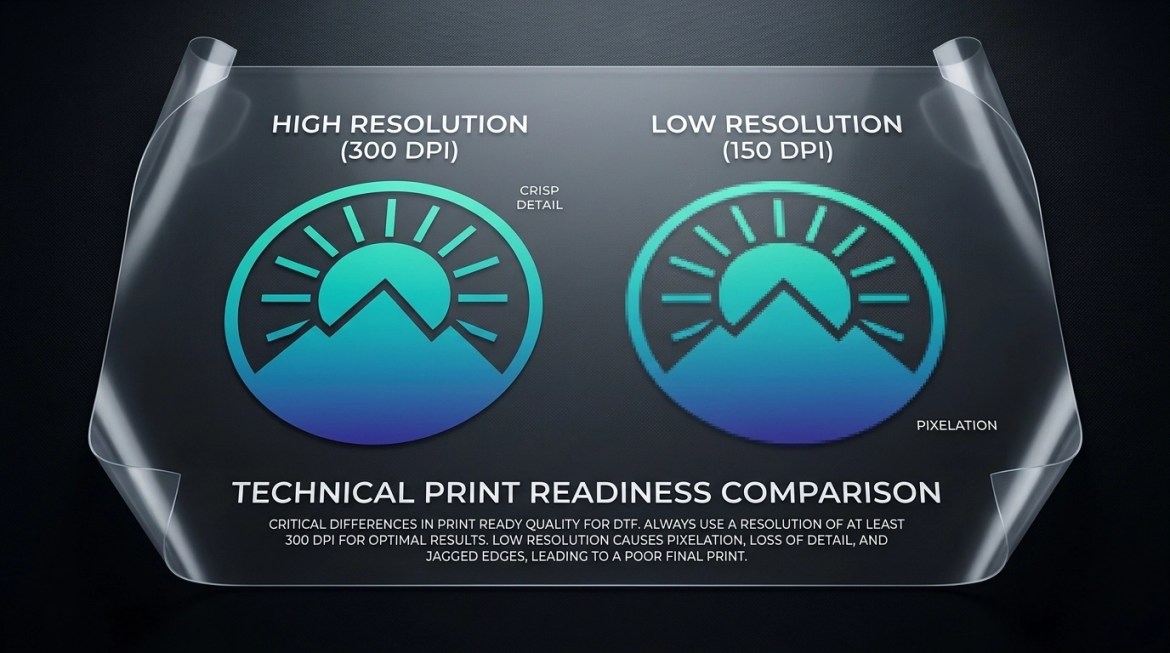
Expert Tip: Never try to "upscale" a tiny image in a photo editor. It doesn't add detail; it just makes the pixels bigger. Start with high-quality source files!
Expert Tip: Double check ALL images you import into Canva. If they were low resolution before import, they will still be low resolution after export – even if the file itself is 300 DPI!
Check an image's resolution pre-Canva import with our tutorials:
2. Overlapping Your Designs
We get it, you want to fit as much as possible on your sheet. But if your designs are touching or overlapping, you’re going to have a nightmare of a time when it’s time to cut.
The Fix: Give your designs some breathing room! We recommend leaving at least 0.25 inches between every image on your sheet.
Why it matters:
- Easy Cutting: You need space to get your scissors or rotary cutter between the designs without accidentally clipping a logo. You waste time…and time is money!
- Clean Printing: Accidentally overlapping transfers will fuse together, potentially ruining two designs at once.
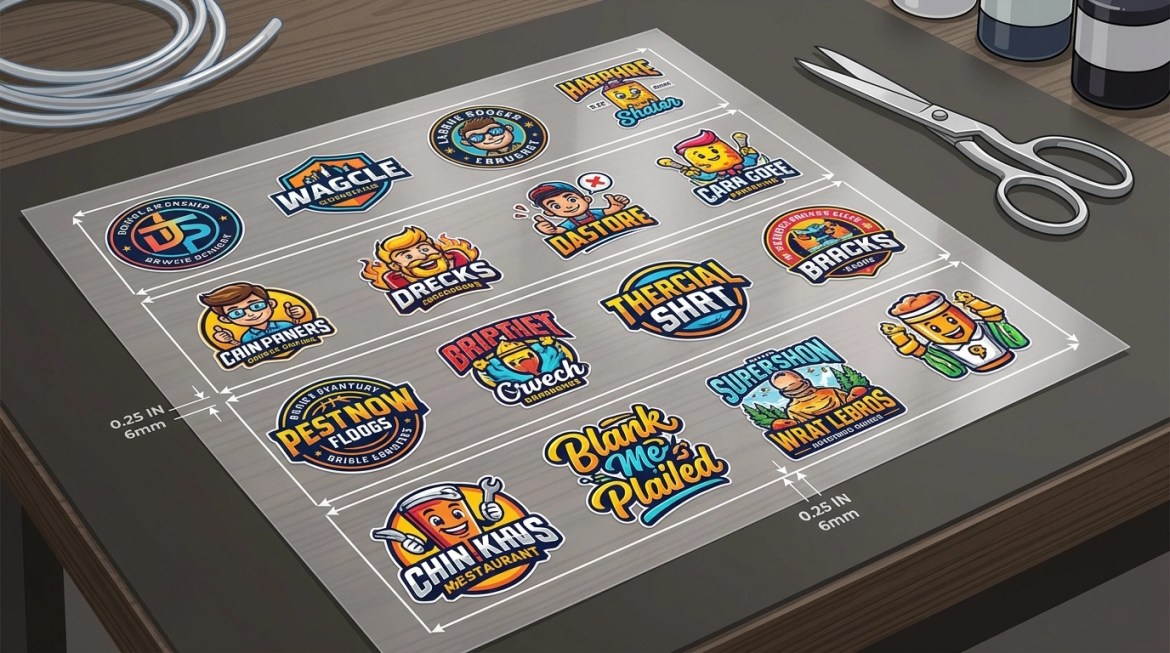
Build it right: Use our builder to snap your images into place and ensure there is adequate space between them. Your future self (the one with the scissors) will thank you!
3. Not Using the Full Sheet
When you order custom dtf gang sheets, you’re paying for the space. If you order a 22.5" x 60" sheet but only put three small logos at the top, you’re leaving money on the table!
The Fix: Fill 'er up! If you have extra space, add in some "filler" items.
- Add small neck labels or brand logos.
- Throw in some extras of current projects for "just in case".
- Print a few designs for a future project.
Maximize Value: Our gang sheets are 22.5 inches wide, which is wider than many competitors. Use every square inch. We even offer free shipping on prints over $50 to the contiguous US, so it pays to bundle your designs into one big, beautiful sheet!
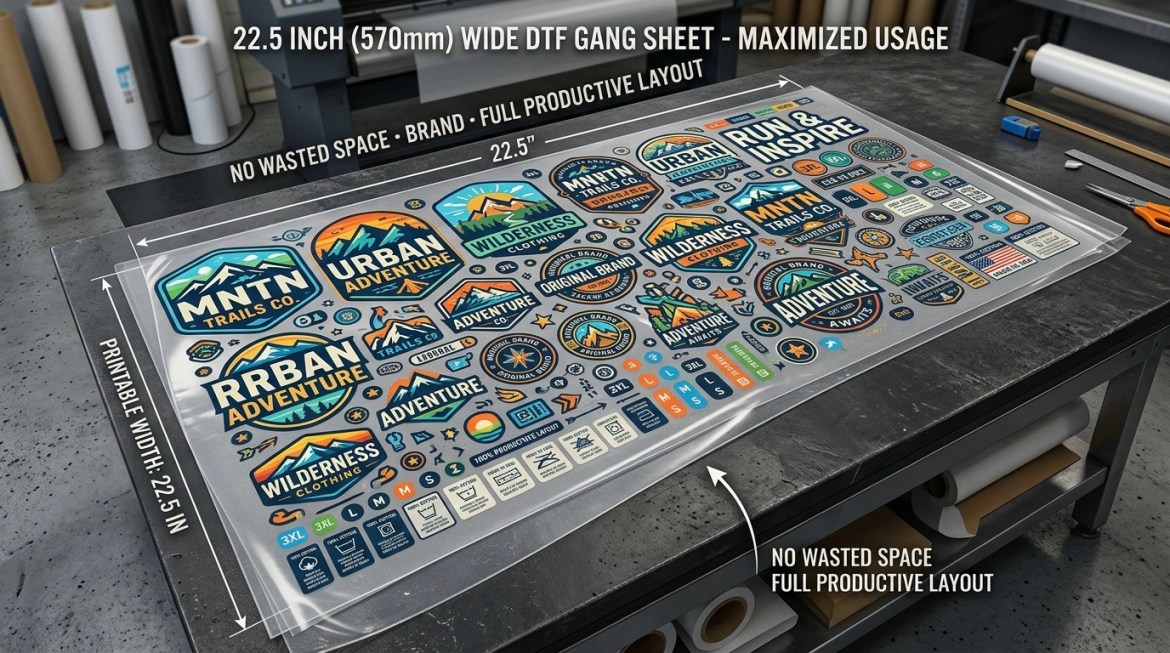
Our gang sheet builder allows sheets up to 300" on each sheet! We sell by the foot so you can find the size that fits your current needs perfectly.
4. Using Incorrect File Formats
If you upload a JPG or PNG with a white background, guess what? Our printers are going to print a big white box around your design.
The Fix: Use Transparent Background PNGs.
- No Backgrounds: Ensure your file only contains the artwork you want printed.
- High Quality: Save them at 300 DPI for the best results.
- RGB or HEX codes for our signature Instant Peel Film: Our 9 color printer allows for printing "out of gamut" colors, designing in RGB or Hex color mode helps ensure you get the max color "pop" for bright colors not available on other 5 color printers.
- CMYK ready for Cold Peel Specialty Films: Our 5 color printer is specifically reserved for our specialty cold peel films. While our system handles conversions, designing in CMYK color mode helps ensure the colors you see on your screen match the "rich color" that comes off our printers.
Submit with confidence: If you already have a perfectly designed sheet ready to go, you can simply upload your premade gang sheet directly to our site. Just make sure those backgrounds are transparent!

5. Mirroring Your Own Designs
If you have ever printed for yourself, you may have had to mirror your designs before printing. Some people carry this habit over when submitting their artwork to a print shop like ours, but it's a mistake!
The Fix: DO NOT mirror your images.
Our advanced printing software automatically mirrors the entire gang sheet for you during the production process. If you mirror your file before uploading it, your design will end up being printed backwards.
Keep it simple: Just upload your design exactly how you want it to look on the final garment. We’ll handle the technical "flip" on our end.

6. Forgetting the "Safe Zone"
Our printers are precision machines, but they can only print what is submitted! If your image goes off the edge slightly, that image will be cut off!
The Fix: Use our gang sheet builder and it will automatically place your images onto the canvas and use the margin set by you!
Pro-tip: When you’re using our gang sheet builder, it you move anything around manually, make sure you check that you have a green checkmark by the "no items overlapping the artboard".

7. The Glow Effect Trap: Managing Semi-Transparent Pixels
Soft glows, blurred edges, and drop shadows can look amazing on your screen. But in DTF printing, those effects often include semi-transparent pixels that can cause real problems when printed.
Why it happens: DTF transfers need a solid white ink base behind the artwork. When parts of your design fade out with partial transparency, the color fades….but the white under base does not.
- Hazy Appearance: Instead of a smooth fade, those semi-transparent areas can print with weak color and way too much white.
The Fix: Convert those soft fades into printable dots using a halftone pattern.
How we help: Our gang sheet builder includes a built-in Halftone feature that automatically turns semi-transparent fades into a pattern of solid dots. That means your artwork keeps the effect you want while printing in a way that actually sticks, looks clean, and holds up better.
Print smarter: If your artwork uses glow effects, shadows, or soft fades, run it through the halftone option before you submit. You’ll get a more reliable transfer, better adhesion, and a much more professional final print.

8. Ignoring the Turnaround Times
We know you’re on a deadline. Your customers want their shirts now, and we are here to help you deliver. But the most common "mistake" is waiting too long to hit that submit button.
The Fix: Submit orders before 10AM to get placed in one of our first print queues of the day. We can let you know of any issues and have your prints out quicker when you order earlier!
- Same-Day Processing: Submit your print-ready files by 2PM CST, and we will process them the very same day!
- Next-Day Shipping: For custom apparel orders, we ship the next day if ordered by the 2PM cutoff.
- Super Rush Options: If you're in College Station, TX, you can even choose our 2-hour turnaround rush options for DTF, UVDTF, or sublimation prints with our free local lockbox pickup!

Get it fast: Don't wait until the last minute. Get your orders in early so we can get them onto the printer and out the door!
Ready to Print?
Avoid these 8 mistakes, and you’ll be the hero of your own workshop. DTF transfers are the easiest way to create professional-grade apparel without the mess of screen printing or the limitations of vinyl.
At Pixel Print Apparel, we make it easy:
- Build your sheet using our pro tools.
- Check your quality with our DPI monitor.
- Submit by 2PM CST.
- Receive your transfers and watch them "peel like butter."
Ready to start your next project? Click here to build your custom DTF gang sheet now!
Whether you need dtf transfers, UV DTF sticker transfers for hard surfaces, or even blank apparel to print on, we’ve got you covered with the fastest speeds and highest quality in the industry. Let's get printing!
